
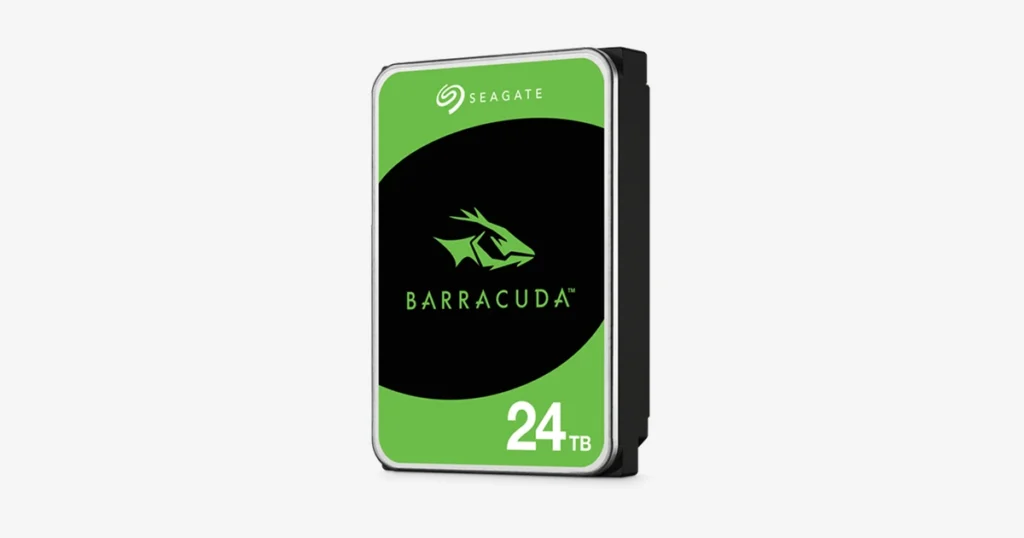
A customer reported that their Seagate Barracuda 2TB internal HDD suddenly became unreachable, putting important files at risk.
They attempted basic troubleshooting, but the drive remained not recognised and began producing unusual mechanical noises. That combination typically changes the priority from “fix the drive” to “protect the data.”
This case study walks through the diagnostic signals we look for, why mechanical symptoms require a controlled approach, and how recovery workflows are designed to reduce further damage.

What the Customer Saw (Not Recognized and Clicking)
The customer’s first symptom was straightforward: the drive became unreachable and would not mount normally.
They tried standard troubleshooting steps, including testing the drive on another computer to rule out compatibility or system level issues. The outcome did not change. The HDD still failed to be recognised and started producing unusual mechanical noises.
At that point, the risk profile escalated. When a hard drive is both not recognised and making abnormal sounds, continued power cycles and repeated connection attempts can turn a recoverable situation into a severely degraded one.
Industry-Leading 99% Success Rate
No hidden fees. No surprises. Just expert data recovery you can trust. We handle everything from simple file loss to extreme data recovery cases. If we can’t recover your data, no one can.
Diagnostic Findings (Mechanical Failure Signals)
During evaluation, the key indicator was the abnormal mechanical noise. In lab conditions, that sound pattern is typically consistent with internal mechanical failure rather than a simple connection, driver, or partition issue.
From a recovery standpoint, the priority becomes stabilisation. Mechanical failures can worsen rapidly because the drive may be struggling to maintain normal head positioning and read operations. If the heads repeatedly misread, retry, or contact sensitive surfaces, recoverability can drop fast.
This is why the diagnostic conclusion drives the workflow. Instead of attempting repairs to make the drive “work again,” the goal shifts to safely enabling imaging so data can be extracted with minimal additional stress.

Don't Let Data Loss Ruin Your Business
Minimize business disruption. We retrieve lost data fast, so you can focus on what matters.
Recovery Process (Stabilize, Image, Reconstruct)
Controlled intake and evaluation
We verified the symptoms and ruled out basic system side causes, focusing on mechanical indicators and read stability.
Mechanical stabilisation with compatible parts
Where required, compatible donor components were used to stabilise the drive enough to proceed safely. This step is about reducing risk during imaging, not “fixing” the drive.
Sector by sector imaging
We created a sector by sector image, capturing readable data first and minimising repeated stress on unstable areas. Imaging is the foundation because recovery work is performed on the copy, not the original.
File system reconstruction and data extraction
Once imaging was complete, we reconstructed structures and recovered files, addressing corrupted or missing elements as needed.
Risk note
If a drive is clicking, do not run disk checks, do not attempt cloning with consumer tools, and do not keep powering it on. Mechanical issues can escalate quickly.
Learn more about our hard drive data recovery service here: explore hard drive recovery.

Result (Data Validation and Delivery)
Recovery work was completed with a focus on restoring access to the customer’s critical content without placing additional stress on the original drive.
Data integrity was validated before handoff to confirm that recovered folders and files were opening correctly and usable.
After verification, the recovered data was securely transferred to a new storage device and returned to the customer for continued use.
Emergency Data Recovery Services
Unexpected data loss? Whether it’s a crashed system, failed storage device, or accidental deletion, our 24/7 emergency recovery service ensures priority assistance to retrieve your critical data.
Risk Alert (What Not To Do With a Clicking HDD)
If your hard drive is clicking, treat it as a mechanical failure until proven otherwise. The wrong next step can permanently reduce what can be recovered.
Do not do this
- Do not keep powering the drive on and off to “see if it comes back.”
- Do not run CHKDSK, First Aid, or repair utilities.
- Do not attempt DIY cloning with consumer tools when the drive is making noise.
- Do not open the drive outside controlled conditions.
- Do not freeze it, tap it, or apply pressure to the casing.
Do this instead
- Power it down immediately.
- Record the symptoms and any recent events, drop, impact, or power issue.
- Move to a controlled recovery process that starts with stabilisation and imaging.
If the drive is physically damaged from impact, see related guidance here: broken external hard drive.

Contact Us for Seagate Internal HDD Recovery
If your Seagate Barracuda 2TB is not recognised or making clicking noises, stop using it. Mechanical symptoms are time sensitive, and repeated power cycles can reduce recoverability.
We run a controlled HDD recovery workflow focused on stabilisation, sector level imaging, and verification before delivery. The objective is to secure your data, not to return the same drive to service.
To accelerate evaluation, share the exact symptoms, when they started, whether the drive was dropped or exposed to power issues, and what troubleshooting has already been attempted. Then request a hard drive recovery assessment.
Industry Certifications
Trusted by leading organizations and certified by industry authorities